A vehicle that misses its service interval costs more to run, breaks down more often, and fails inspections at the worst possible moment. Tecaser gives your fleet a structured maintenance system — configured around your vehicles, logged by your team, visible to everyone who needs to know.
Configure maintenance items for your fleet
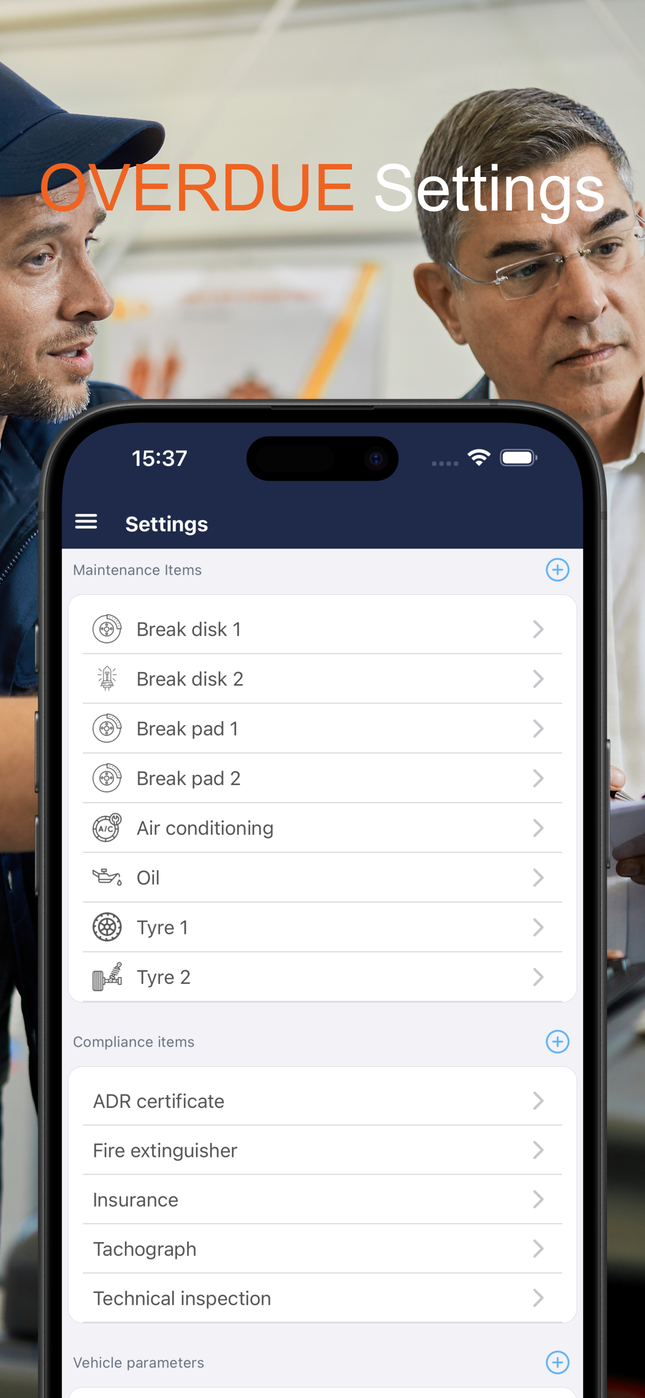
Every fleet has its own service schedule. Tecaser lets you define exactly which maintenance items apply — brake pads, brake discs, engine oil, air conditioning, tyres, timing belt, or any custom item specific to your vehicles.
For each item you set the interval that triggers a reminder:
- Distance-based — for example, engine oil every 15,000 km, timing belt every 100,000 km
- Time-based — for example, air conditioning service once a year
- Both combined — whichever comes first
Items can be configured globally for the whole organisation or individually per vehicle or vehicle group, so a long-haul truck and a company car follow different schedules without any manual workaround.
See what is due — at a glance
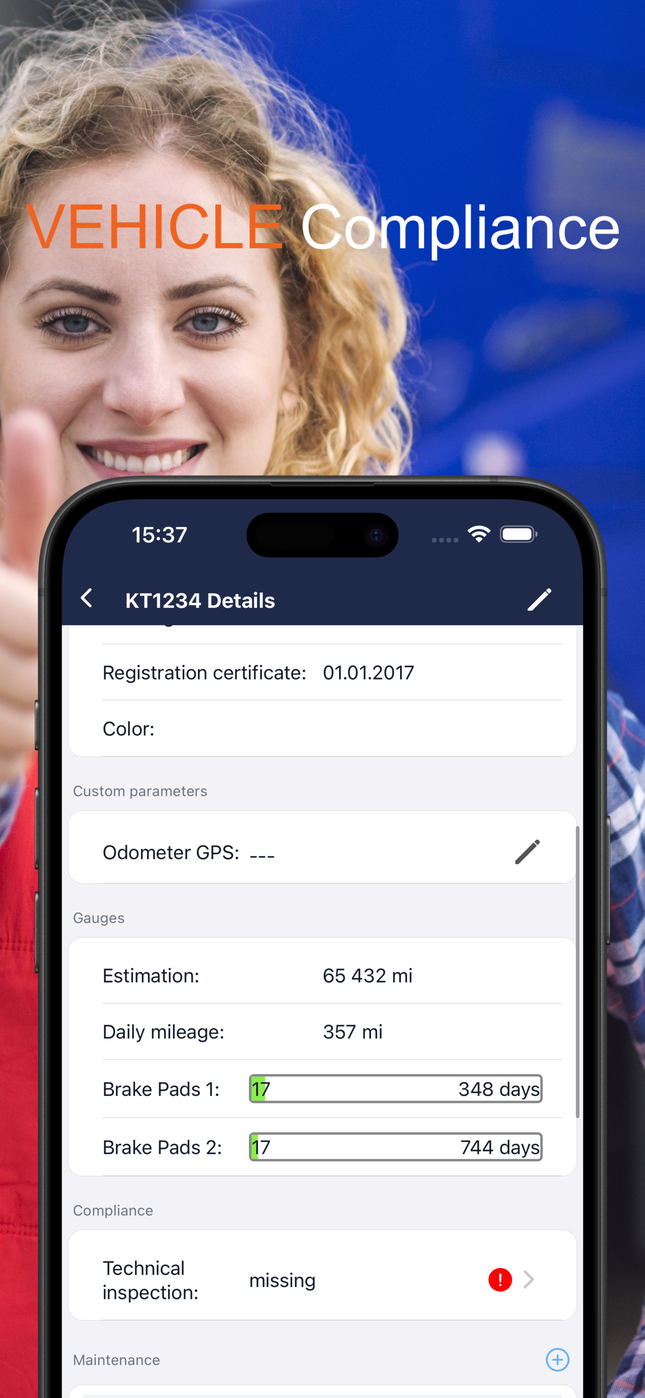
The vehicle detail screen shows a live gauge for every configured maintenance item: how many kilometres or how many days remain until the next service is due. When a countdown turns red, the item needs attention.
You can see brake pad wear estimates, oil change countdowns, and tyre intervals all on one screen — without opening a spreadsheet or calling a mechanic.
Log a service in seconds
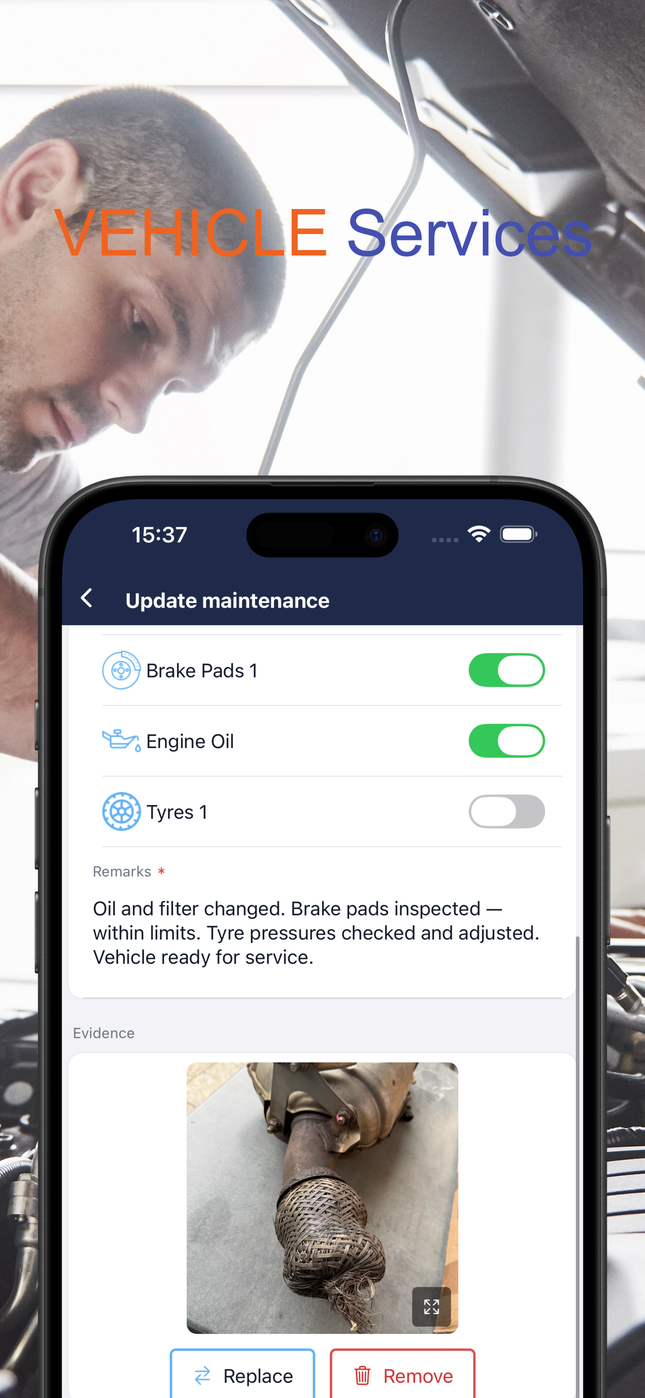
When a service is done, the mechanic opens the vehicle in the app and ticks the items completed — brake pads, oil change, tyre rotation — adds remarks, records the odometer reading and operation date, and submits. That is all.
The record is immediately visible to the fleet manager and anyone else in the organisation with access to that vehicle.
Attach photo evidence
Each service record can include a photo — a picture of the worn brake pad before replacement, a snapshot of the oil filter, or any other evidence the mechanic wants to keep. Photos are stored against the service record and can be shared with other applications or sent by email directly from the app.
The full vehicle timeline
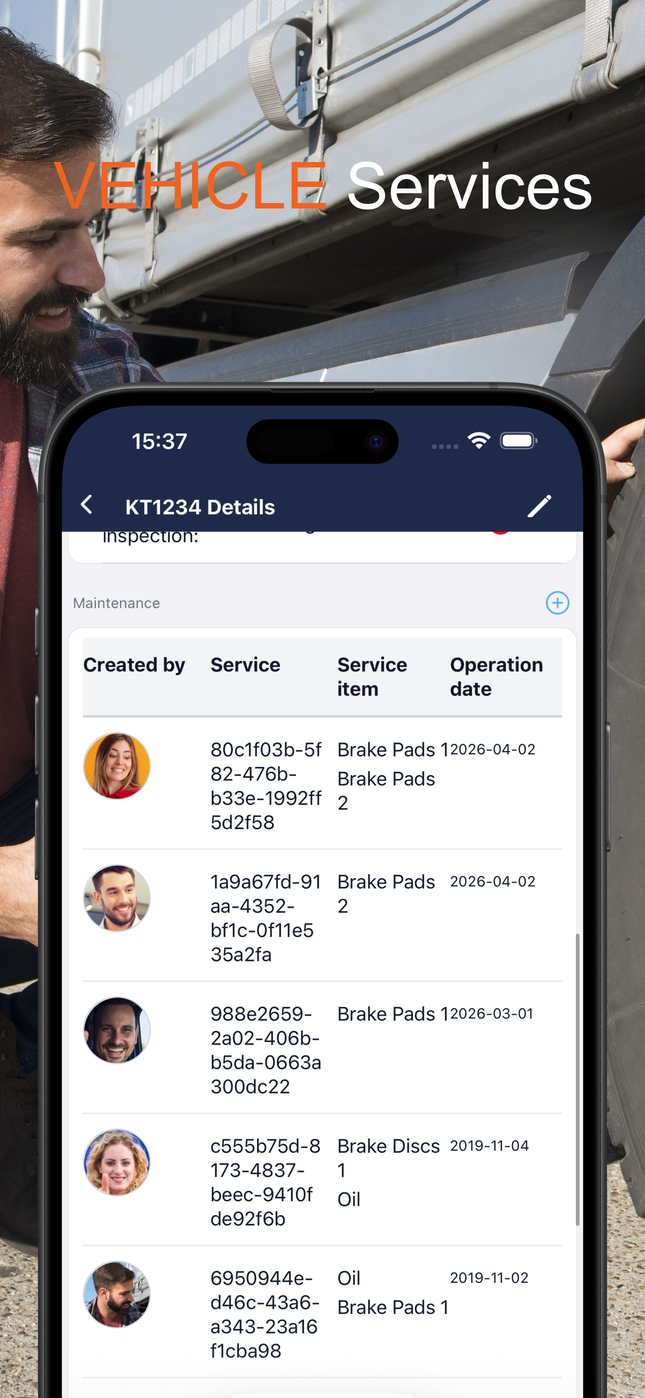
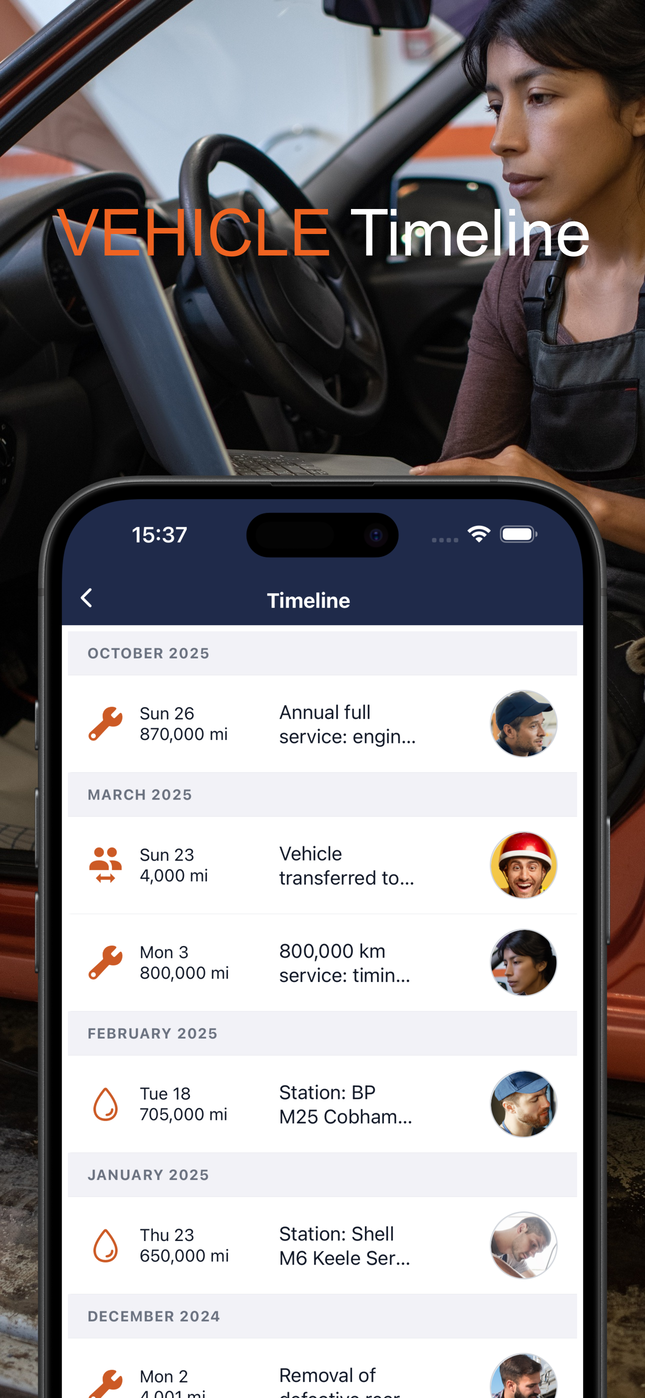
Every service, refuelling stop, driver handover, and defect report appears in chronological order on the vehicle timeline. You can see at a glance what happened last month, last year, or at any specific mileage point. The timeline shows the date, mileage, what was done, and who logged it.
This is the audit trail that makes vehicle history legible — not just for your team, but for insurance assessors, workshop partners, or regulators.
The overdue report
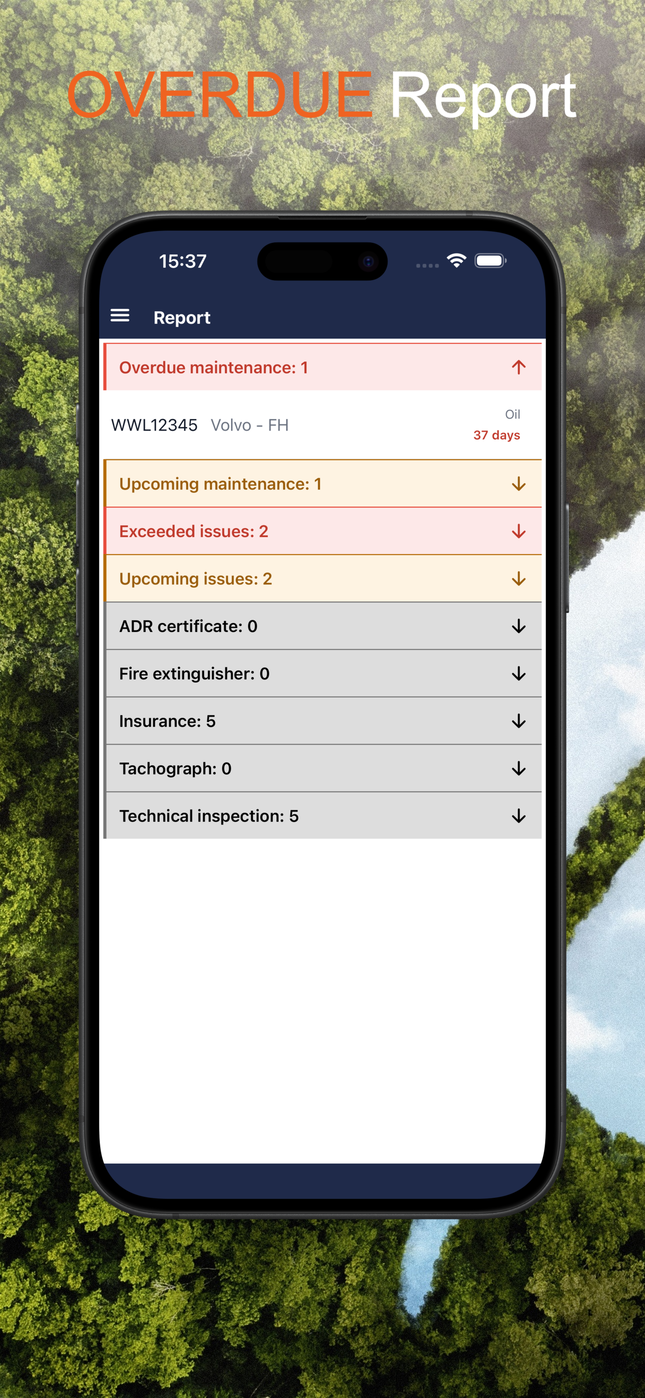
The overdue report gives a fleet-wide view of every vehicle with exceeded or upcoming maintenance — grouped and colour-coded. Overdue in red, upcoming in amber. Open it on Monday morning and you know which vehicles need to go to the workshop before they go back on the road.
Keep every vehicle serviced
Already using Tecaser? Log in and check what's due on your fleet right now. New to Tecaser? Download the app and get started.